


NEW Feature:
Person Diagnostic
This tool runs a health check on a person's access credentials and permissions across a site, checking whether their access methods, and access rights are correctly set up and working.
Its purpose is to help admins quickly spot why someone might have trouble getting into a building or specific rooms, rather than manually checking each door by hand.

When viewing a person click the three-dot menu (⋮) icon located next to their name.
From the dropdown menu that appears, select "Run Diagnostics" (the option with the gear/cog icon).
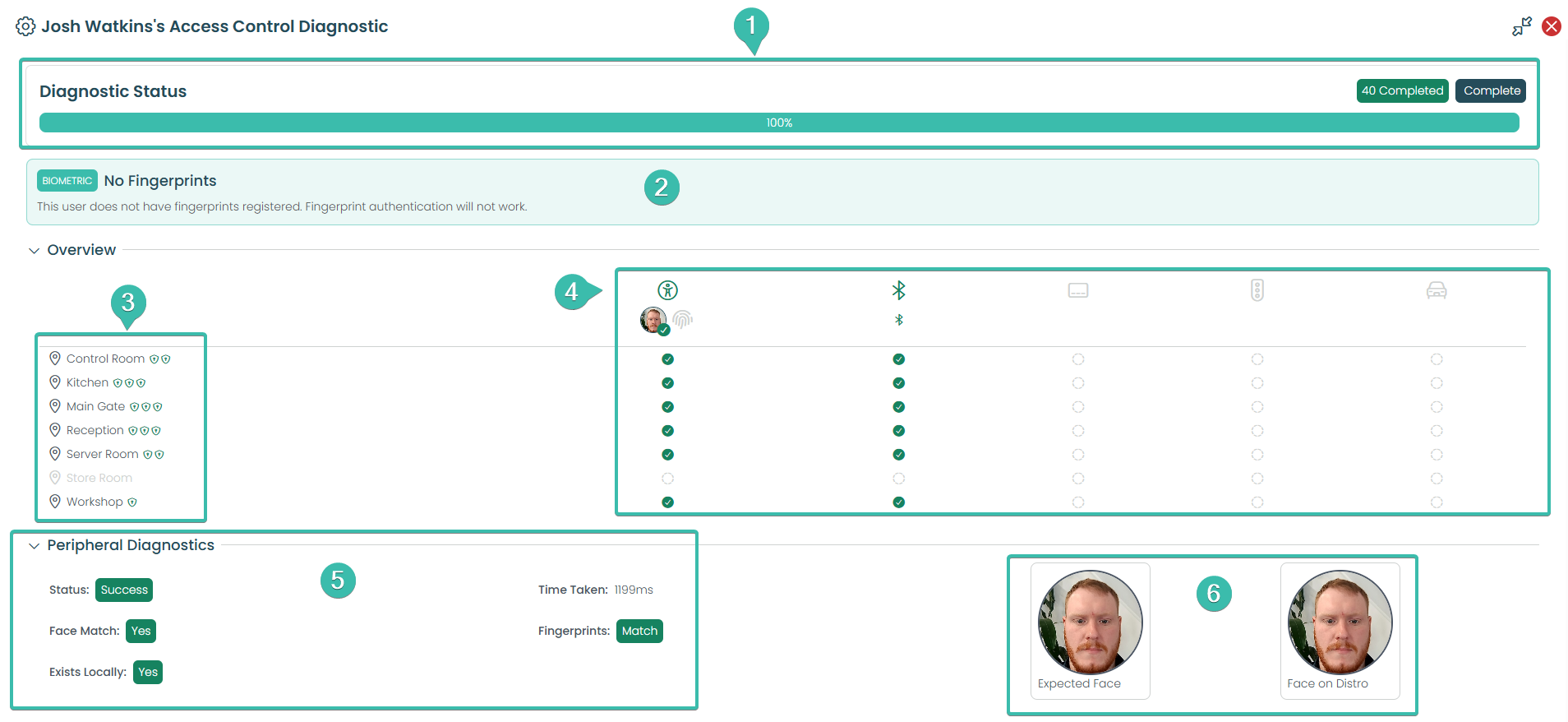
Shows scan progress. Wait for 100% / "Complete" before reviewing results.
Flags biometric issues. Here: Josh has no fingerprints registered, so fingerprint access won't work.
This list shows each door (referred to here as an "Access Point") that Josh could potentially use. Doors shown in normal text mean he has some form of access there. Doors greyed out — like "Store Room" — mean he has no access rights to that door at all.
Shows which methods work per door (facial, Bluetooth, card, fob, vehicle). Green check = works; greyed out = not available.
Confirms the Central Online platform and the on-site Distributor Server agree on Josh's access data. Includes check time and whether his profile exists locally.
Compares the "Expected Face" (reference photo) to the "Face on Distro" (photo on the Distributor Server). If they don't match, the Distributor likely hasn't synced correctly.
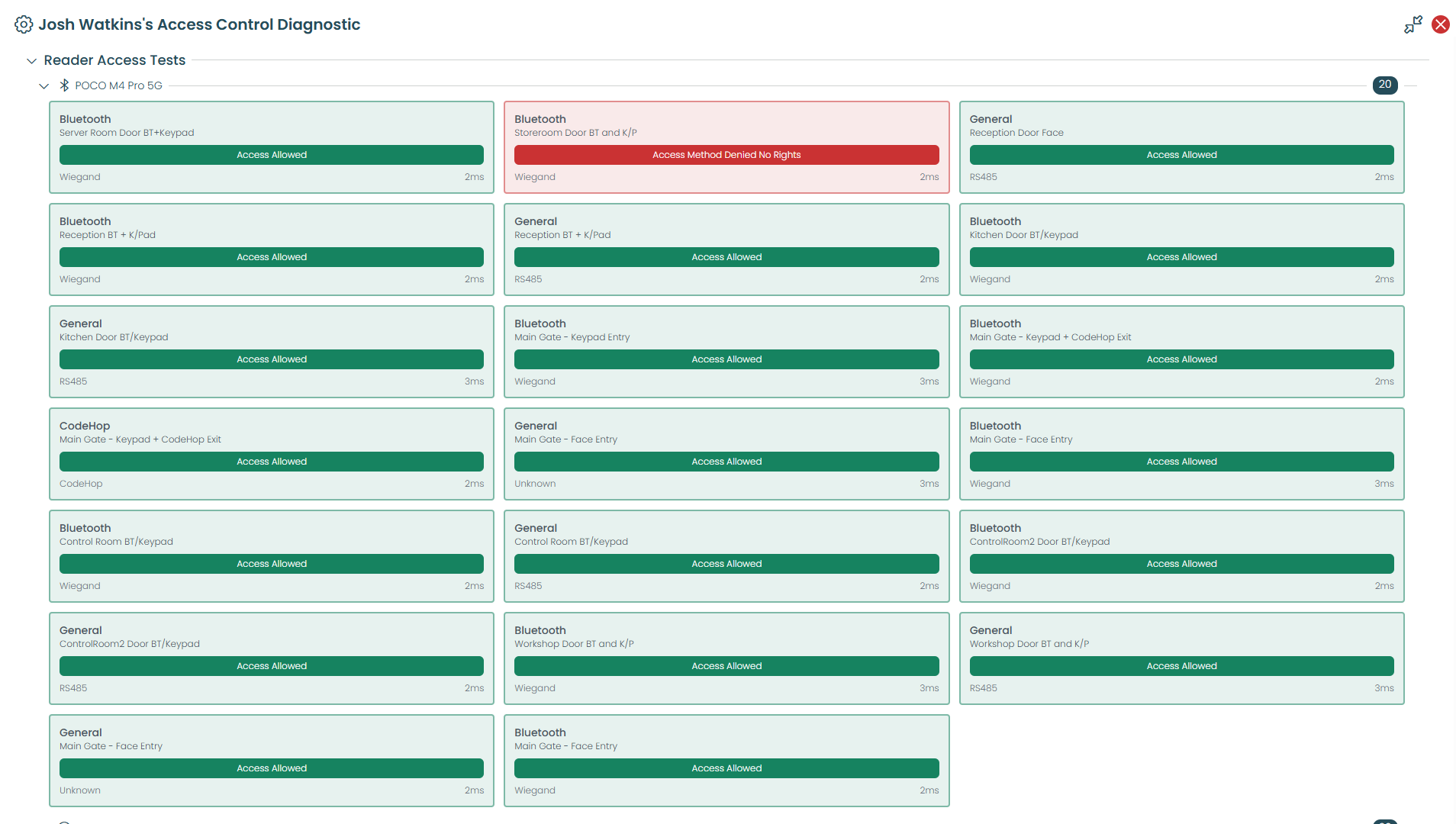
This section tests Josh's Bluetooth access method (from his phone, "POCO M4 Pro 5G") against every reader connected to that gateway, showing whether he has rights to use it at each door.
Each card shows the reader/door, the result (Access Allowed / Denied), the underlying protocol (Wiegand, RS485, CodeHop), and response time.
Important limitation: This test only checks permissions, not physical compatibility. For example, the "CodeHop" reader card shows "Access Allowed" — but CodeHop is a numeric keypad-style reader that a Bluetooth phone credential could never physically authenticate against. The diagnostic tool doesn't have visibility into reader hardware type, so it can't flag this mismatch. A green "Access Allowed" here means Josh has rights to that door — not that his Bluetooth will actually work on every reader listed.